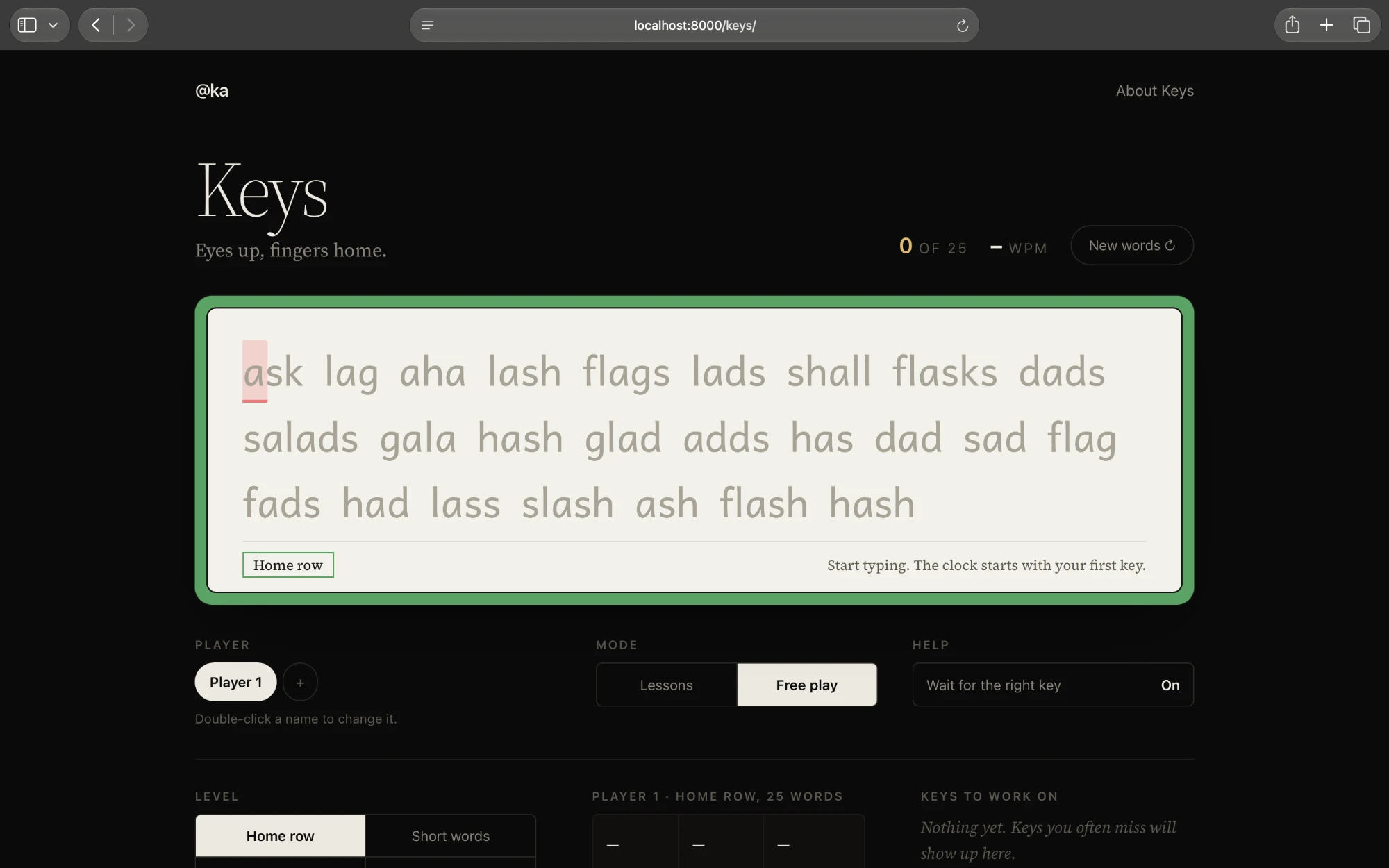
Keys is a typing game for young kids, six and up. It borrows its look from typings.gg, a plain line of words and a caret, and its ramp from Mavis Beacon: the keyboard is learned a key or two at a time, home row first, and you only ever type words made from keys you already know. It's a sibling of Vocab, Clef, and Fifty: same card on the table, same idea that the misses should come back until they stick.
It runs right here on this site — free, nothing to install, nothing to sign up for. It needs a computer with a real keyboard: the point is learning the one in front of you.
Lessons
| Lessons | Keys |
|---|---|
| 1–5 | The home row: F J, D K, S L, A ;, then G H |
| 6–10 | The top row: E I, R U, T Y, W O, Q P |
| 11–14 | The bottom row: N M, C V, B ,, X Z . |
| 15–16 | Capitals with Shift, then ' ? and ! |
Each lesson opens with a card saying where the new keys are and which finger presses them. Then twelve things to type: a warm-up (fff jjj fjf), then real words built only from the keys learned so far, most of them using the new ones. The first three lessons are all warm-up, since there are no vowels yet.
Stars are for getting keys right, not for speed. 85% earns a star and opens the next lesson; 92% and 98% earn the second and third. The lessons sit on a trail that winds back and forth, one row of the trail for each row of the keyboard, in the card's colors: green for the home row, blue for the top, red for the bottom, gold for capitals and punctuation. Finished stops fill in and show their stars.
Free play
| Setting | Options |
|---|---|
| Level | Home row, short words, long words, or sentences |
| Length | 10 or 25 words, or 30 or 60 seconds |
The sentences were written for this page. Some are silly (Please do not feed the volcano after midnight.) and some are true (Octopuses have three hearts and blue blood.).
What paper can't do
The next letter sits on a block in the color of the finger that should press it: red for pinkies, gold for ring fingers, green for middle fingers, blue for pointers. Under the words, the card names the key and the finger (and Shift, for capitals). Eyes stay on the screen, not on a picture of a keyboard. The words are set in Andika, a typeface made for children learning to read, with the one-story a and g they're taught in school.
Wait for the right key, on by default, holds the place until the right key is pressed, so a mistake can't slip by. Turned off, mistakes go through and get a red squiggle, and Backspace fixes them.
Keys keeps track of which keys each player misses. The worst show up under Keys to work on, and words full of them turn up more often. Every kid gets their own player, with their own stars, scores, and recent runs. It all lives in the browser on that device; nothing leaves it.
Keyboard
| Key | Action |
|---|---|
Enter | Start a lesson, or go on after one |
Esc | New words |
Backspace | Fix a letter; with Option or Ctrl, the whole word |
- Words: an original word bank and sentences, inline in the page
- Type: Andika for the card, from Google Fonts
- Frontend: HTML, CSS, and JavaScript, in a single file, with no dependencies