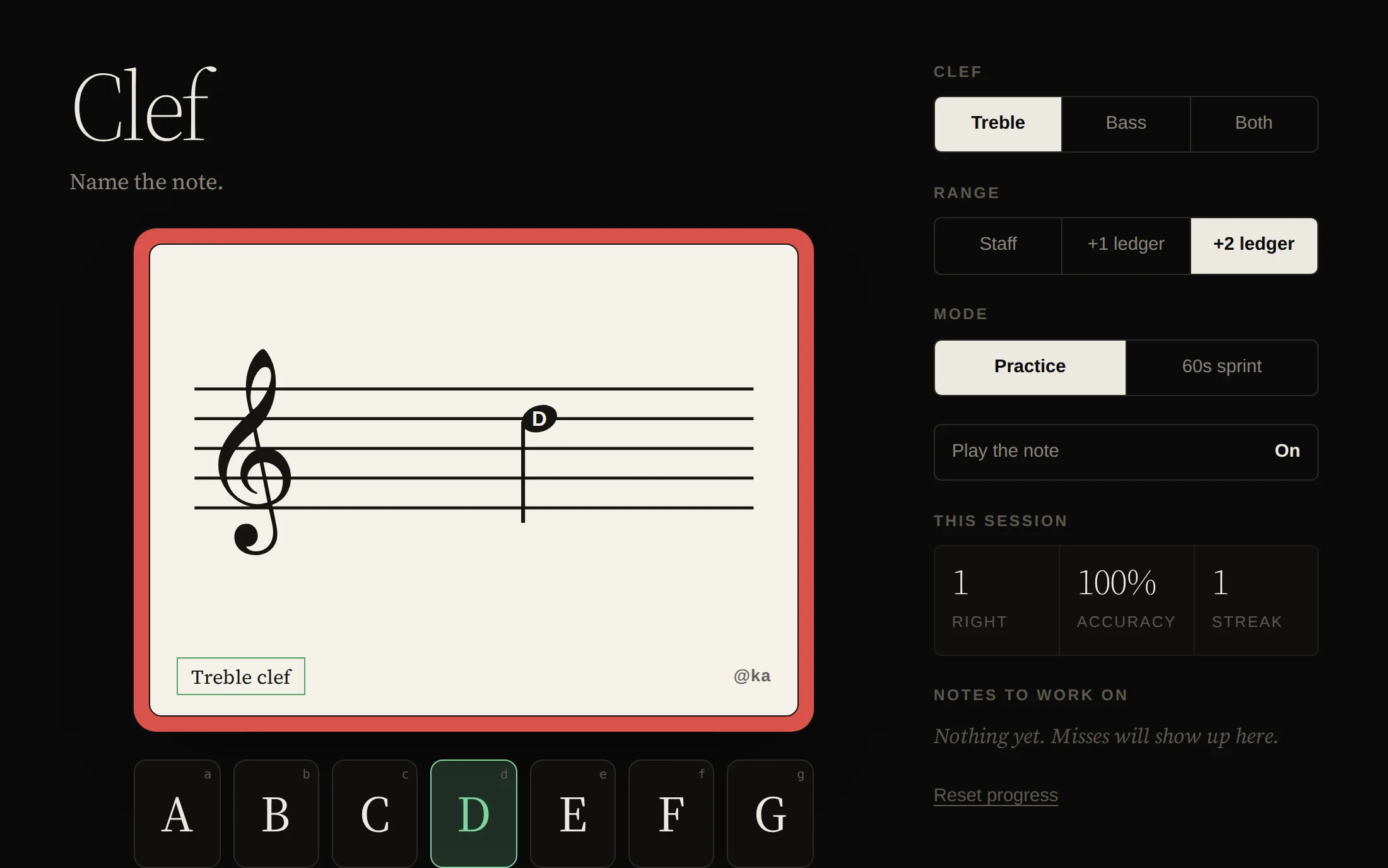
Clef is a flashcard drill for reading music. A note appears on the staff, and you tap the letter that names it. My kids are learning to read treble and bass clef from a deck of paper cards, and this is that deck, with a few things paper can't do.
It runs right here on this site — free, nothing to install, nothing to sign up for. It works on a phone, a tablet, or a laptop.
Settings
| Setting | Options |
|---|---|
| Clef | Treble, bass, or both shuffled together |
| Range | Staff only, one ledger line, or two ledger lines above and below |
| Mode | Practice, or a 60-second sprint |
| Sound | Plays the pitch after each answer, so the symbol connects to the sound |
With two ledger lines, treble runs from G3 to D6 and bass from B1 to F4 — the same reach as the printed decks, which hang a note just past the last ledger line.
What paper can't do
Missed notes come back more often. Clef keeps the last eight answers for every note and weights the deck toward the ones you've been getting wrong, so practice goes where it's needed. The worst of them are listed under Notes to work on, which is handy for a parent glancing over a shoulder.
Sprints keep a best score for each clef and range. Progress lives in the browser on that device; nothing leaves it.
Keyboard
| Key | Action |
|---|---|
A–G | Answer |
Enter | Start a sprint |
- Engraving: SVG, with clef outlines from Noto Music (SIL Open Font License)
- Sound: Web Audio API
- Frontend: HTML, CSS, and JavaScript, in a single file, with no dependencies