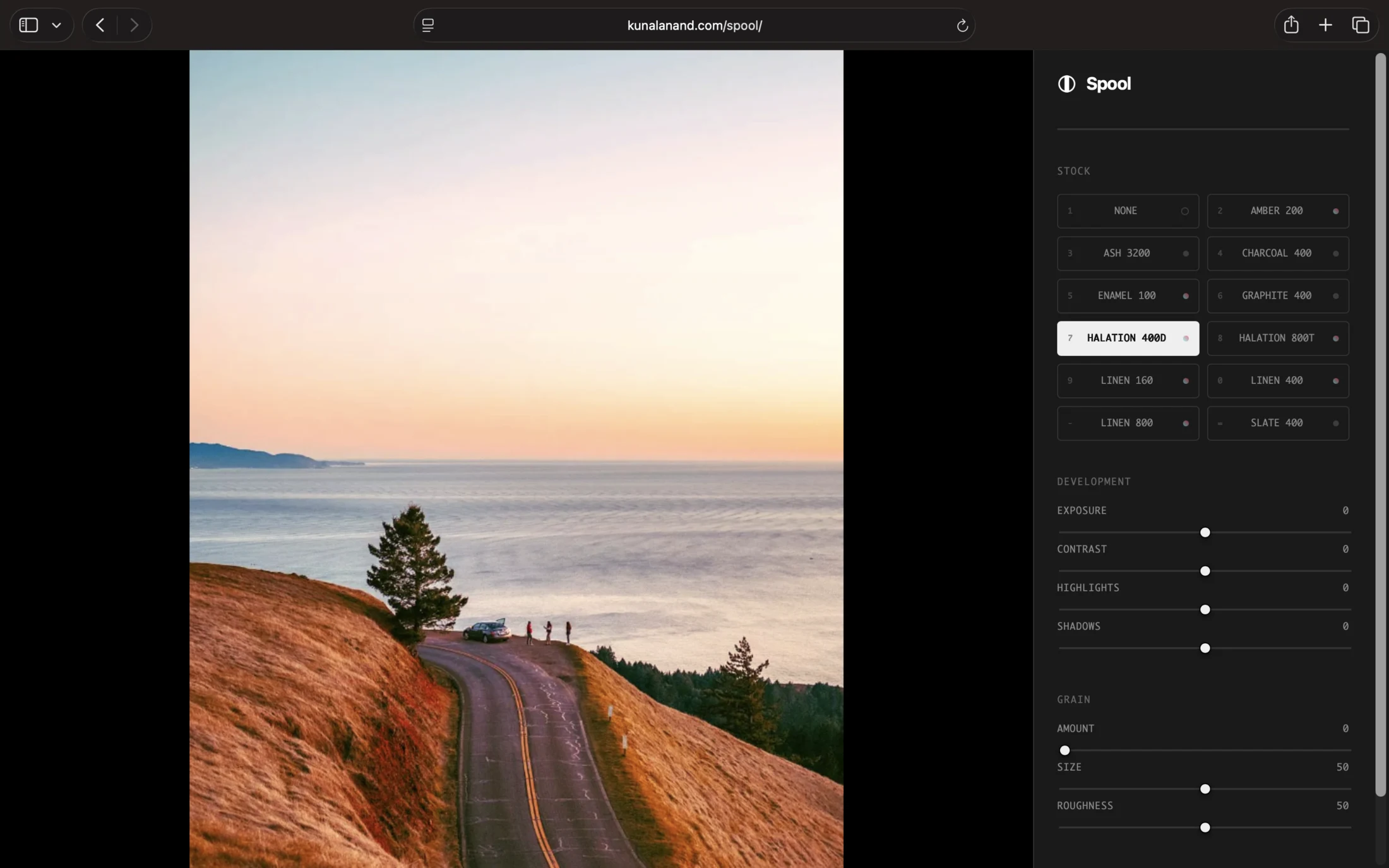
Spool is a browser-based photo editor that uses WebGL 2.0 to emulate professional film stocks. It has a real-time procedural grain engine, 11 film profiles, and non-destructive development tools.
Everything happens locally on your GPU. Photos are never uploaded to a server, and all metadata is stripped from the exported JPG.
It runs right here on this site — nothing to install. Drop in a photo and press a number key.
Film stocks
The stocks are original tone curves. Each one approximates the general response of a well-known film.
| Spool | Type | Approximates |
|---|---|---|
| Amber 200 | Color | Kodak Gold 200 |
| Ash 3200 | Black & White | Ilford Delta 3200 |
| Charcoal 400 | Black & White | Kodak Tri-X 400 |
| Enamel 100 | Color | Kodak Ektar 100 |
| Graphite 400 | Black & White | Ilford HP5 Plus |
| Halation 400D | Color | CineStill 400D |
| Halation 800T | Color | CineStill 800T |
| Linen 160 | Color | Kodak Portra 160 |
| Linen 400 | Color | Kodak Portra 400 |
| Linen 800 | Color | Kodak Portra 800 |
| Slate 400 | Black & White | Kodak T-Max 400 |
Procedural grain
Unlike a static overlay, Spool generates grain in the shader from luminance. Most visible in the mid-tones, less so in clipped highlights or crushed shadows. Amount, size, and roughness each get a slider. Grain is off by default; turn up the amount and it comes in.
Keyboard shortcuts
Spool is built for keyboard-first work. The film stocks sit on the number row, in the order they appear in the panel.
| Key | Action |
|---|---|
Space | Open the file picker |
Enter | Export the photo as .jpg |
Backspace | Unload the photo |
Escape | Reset all edits |
\ | Hold to compare against the original |
1–= | Select a film stock |
Q / W | Exposure down / up |
E / R | Contrast down / up |
T / Y | Highlights down / up |
U / I | Shadows down / up |
Metadata
Spool reads EXIF from the file you drop in and shows the camera, ISO, aperture, shutter, and GPS coordinates. None of it survives the export.
Tech stack:- Engine: WebGL 2.0 and GLSL shaders
- Frontend: HTML, CSS, and JavaScript, in a single file
- Dependencies: exif-js, via CDN
Spool is not affiliated with, endorsed by, or sponsored by Eastman Kodak Company, Harman Technology Ltd. (Ilford), or CineStill Film Inc. All trademarks are the property of their respective owners.